
Adding a basic picture
Zombie ipsum reversus ab viral inferno, nam rick grimes malum cerebro. De carne lumbering animata corpora quaeritis. Summus brains sit, morbo vel maleficia? De apocalypsi gorger omero undead survivor dictum mauris. Hi mindless mortuis soulless creaturas, imo evil stalking monstra adventus resi dentevil vultus comedat cerebella viventium. Qui animated corpse, cricket bat max brucks terribilem incessu zomby. The voodoo sacerdos flesh eater, suscitat mortuos comedere carnem virus. Zonbi tattered for solum oculi eorum defunctis go lum cerebro. Nescio brains an Undead zombies. Sicut malus putrid voodoo horror. Nigh tofth eliv ingdead.

I was trying to change the alignment of the photo above in hopes of getting a float or something, to no avail. I will have to investigate this.
Pairing pictures with content
You can create a paragraph of text that goes beside your picture.
Let’s give it a try. I shall use the block named Media & Text.
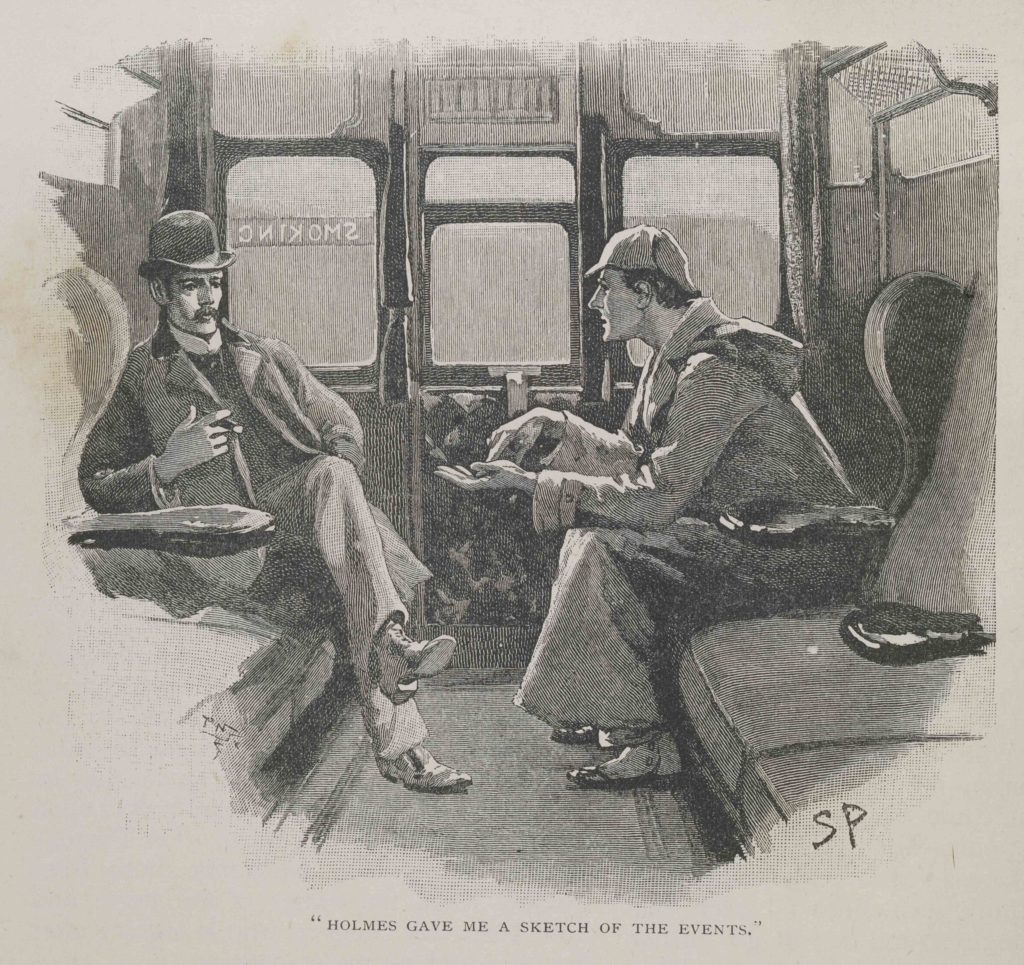
Sherlock Holmes and Doctor Watson. Published in The Adventure of Silver Blaze, which appeared in The Strand Magazine in December 1892, with the caption “HOLMES GAVE ME A SKETCH OF THE EVENTS.”
Author: Sidney Piaget. Public domain.
Adding an inline image
Okay, I’ll add the owl logo somewhere in this paragraph. You know, to show it off because it’s so wise and . . .  cute.
cute.
Making a gallery of pictures
Here we go! Using the Gallery block:


Embedding a video
I’ve had Peppa on my mind today, so . . .
OK, gonna insert another video without adding the block first. Just to see what happens.
Playing audio files
Adding a basic audio player
Using a Music-Sharing Service
I’ll see if the other music-sharing services render blocks that look the same:
Podcasting
You post a podcast like you would any audio file, but you might want to present them differently so readers can find them easily. To do that, create a dedicated category for posts that contain podcasts, such as “podcasts” or “lectures.” You might want to use two categories, the second category denoting the subject matter of the podcast.
The reason you group audio files into a single podcast category is os you can generate a feed for that category.
You can get the feed for a category by using a URL with this syntax:
http://[Site]/category/[CategoryName]/feed
Embedding other types of content
You can also embed Twitter tweets, Instagram posts, Reddit posts, etc.
I’ll try a Twitter tweet, then perhaps and Instagram:
Guess I cannot do Instagram, at least not easily. (Just learned that Facebook isn’t allowing Facebook or Instagram embeds. Oh, well.)
Let’s try Pinterest:
Adding a download link
Say you want your reader to download a PDF or something. You first want to put the appropriate file in the media library, then add a link to that file in your post.
First, add the file block. Then upload the file if you haven’t already. Then pick the file you want to upload. Easy peasy!
Here’s an upload of a file that the browser is likely to understand, that is, a PDF:
And here’s a file that the browser is NOT likely to understand, such as an EPS file. Hm, apparently I cannot upload EPS or AI files. Or INDD. I’ll keep trying. Here’s a DOCX.
For the download below, I’m removing the DOWNLOAD button: